Bring parking, permits, inspections, evidence and reporting into one practical council workflow.
Rules change by time
A kerb can shift between parking, loading, clearway and no-stopping depending on day, time, school period or event controls.
Aero Ranger helps council parking and ranger teams manage no-stopping zones by linking signs, active schedules, vehicle observations, evidence, officer decisions, cases and reporting in one review workflow.
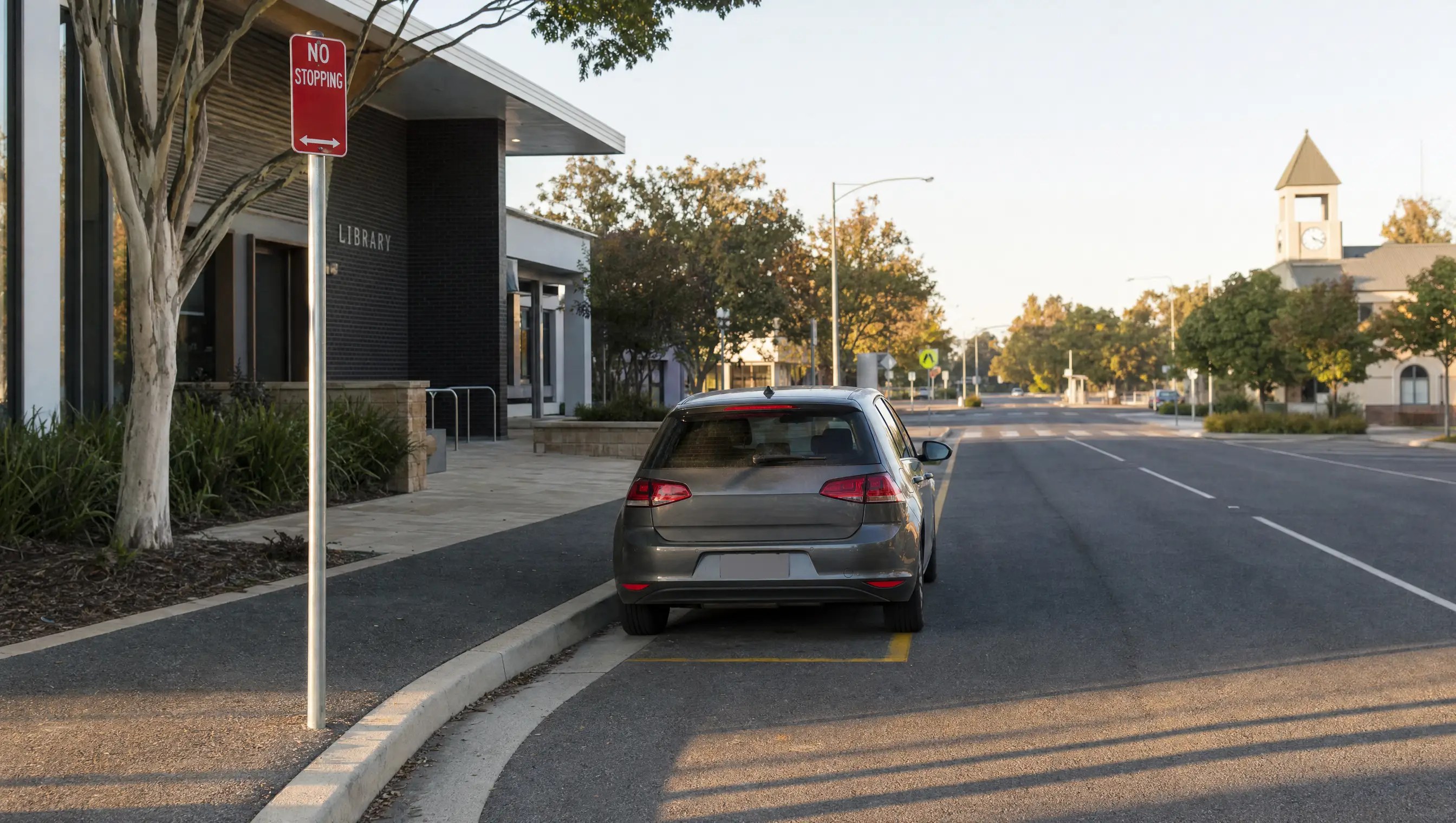
Aero Ranger helps council parking and ranger teams manage no-stopping zones by linking signs, active schedules, vehicle observations, evidence, officer decisions, cases and reporting in one review workflow.
A no-stopping observation needs to show the rule that applied at the time.
Changing schedules. Short windows. Sign details. Decisions that may need later review.
AeroRanger connects the workflow. Map the control. Capture the observation. Check exceptions. Resolve the matter. Report recurring pressure.
Keep photos, location, timing, sign notes and officer observations together. Connect the evidence to the configured restriction before deciding the next step.
Back in CORE, review repeat streets, school peaks, event periods and the cases assigned to your team.
Keep warnings, referrals, approvals and recorded outcomes with the same matter and its original evidence.
Bring a no-stopping zone scenario. We'll show your team the workflow. AeroRanger. Book your kerbside compliance demo.
No-stopping zones often sit beside bus stops, crossings, schools, hospitals, loading areas, event streets and clearways. The workflow needs to show the active rule before a notice, warning, tow referral or closure is prepared.
A kerb can shift between parking, loading, clearway and no-stopping depending on day, time, school period or event controls.
A vehicle image alone is not enough. Reviewers need sign, location, active period, obstruction and exception context.
Schools, hospitals, transport hubs and event streets can generate a lot of stopping behaviour in a compressed period.
Move-on, notice, tow referral and closure outcomes need clear authority, timing, notes and audit history.
The field app / iPhone and Android
Capture the vehicle, location and visible site conditions. Keep officer observations connected to the review of signs, restrictions and potential matters.
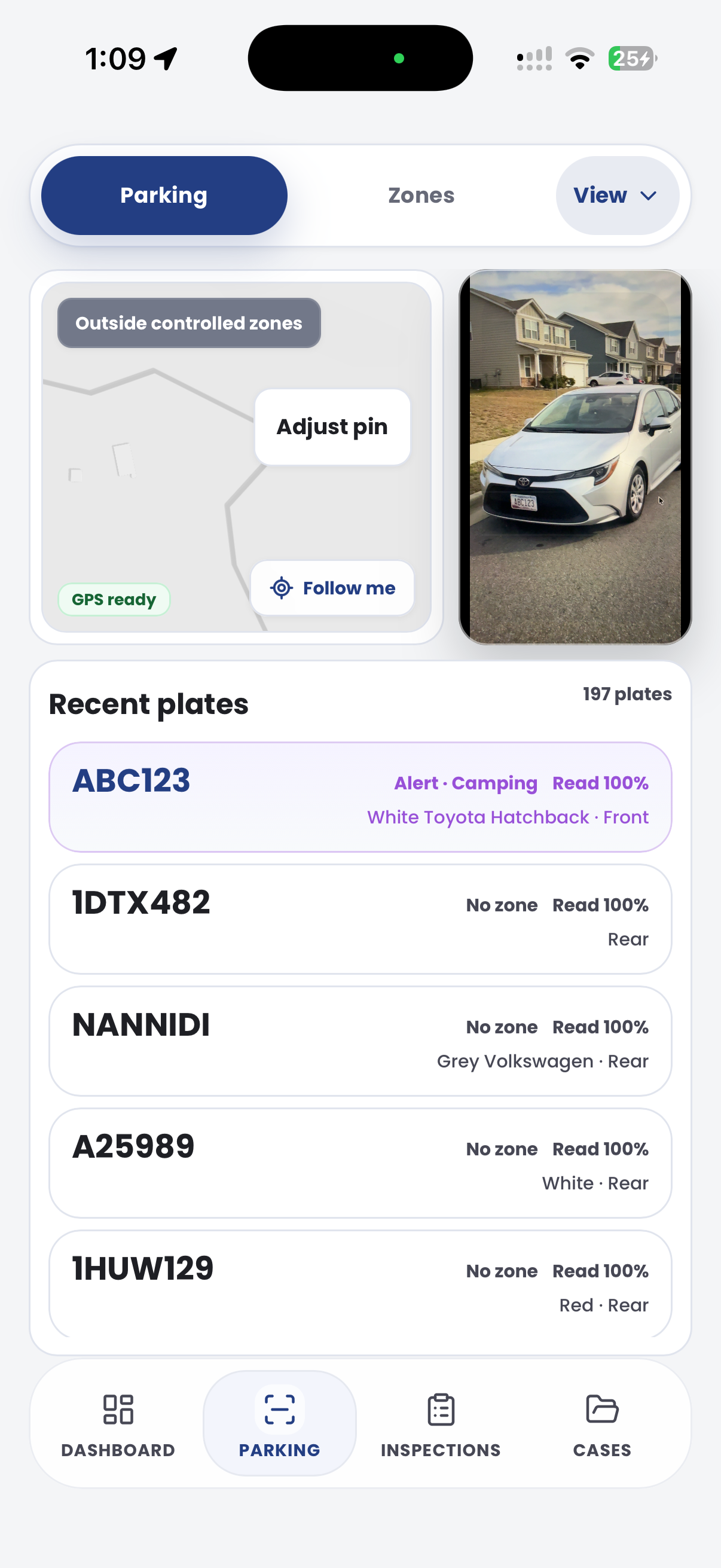
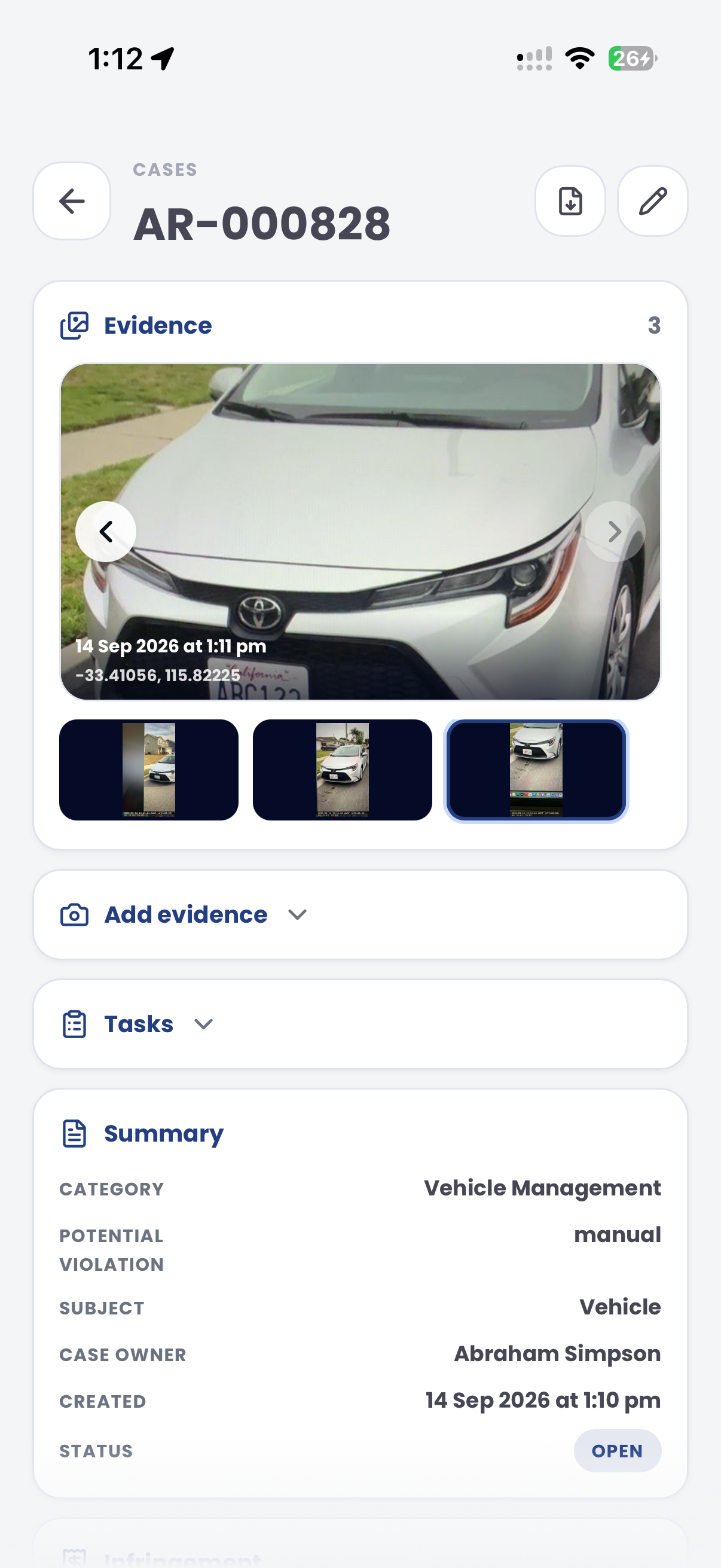
The useful question is not which feature exists. It is whether the team can see the place, rule, evidence, exception, next action and review history before making a decision.
Configure no-stopping areas with active days, times, temporary overrides and related kerbside controls.
Zones, schedules, rule profiles, event windows and exemptions.Attach photos, plate reads where available, GPS context, sign notes, side-of-road detail and officer observations.
Mobile capture, field photos, notes, location records and evidence packages.Map no-stopping outcomes to configured rules, enforcement categories, penalties, notices and review pathways.
Local laws, parking offence mapping, document templates and ticket builder.Track warnings, move-on directions, tow referrals, approvals and contractor handover where the operating model permits it.
Case statuses, tasks, approvals, external actions and audit history.Keep every observation, decision, document, image and status change attached to the same reviewable case record.
Cases, evidence timeline, documents, notes and export packs.Report repeat streets, active windows, school peaks, event impacts and officer workload for policy or signage review.
Intel dashboards, zone reports, exports and saved views.Review teams need the vehicle, sign, active window, obstruction context, officer note and outcome decision visible together.
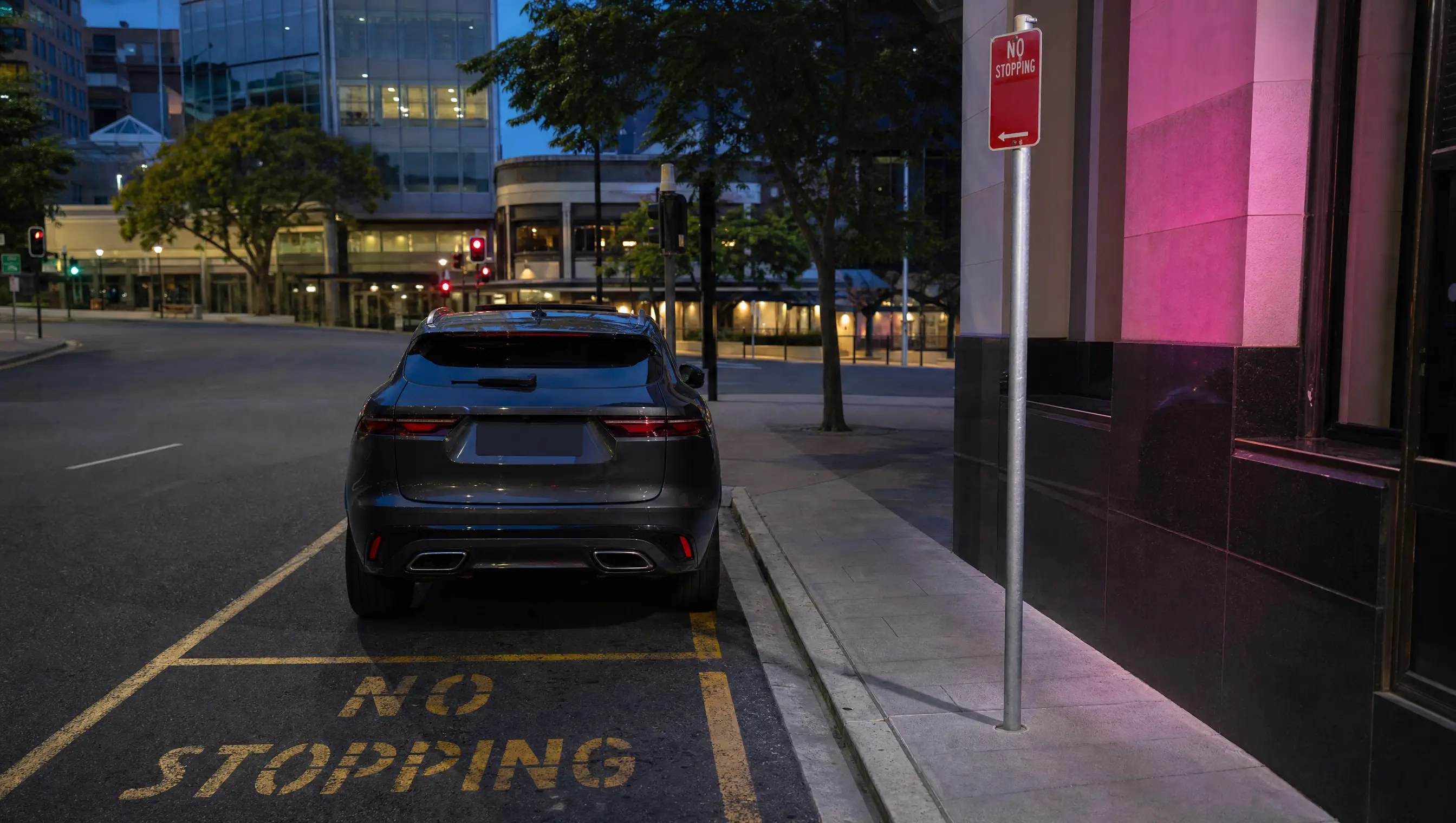
Confirm the no-stopping sign, frontage, side of road, active time, event override and whether a related control also applies.
Keep plate, photos, location, time, dwell or movement notes and officer observations attached to the same matter.
Separate education, warning, notice, tow referral, exception, appeal and closure reasons in a controlled workflow.
A no-stopping review keeps sign context, active schedule, vehicle evidence, exception checks and outcome decisions together.
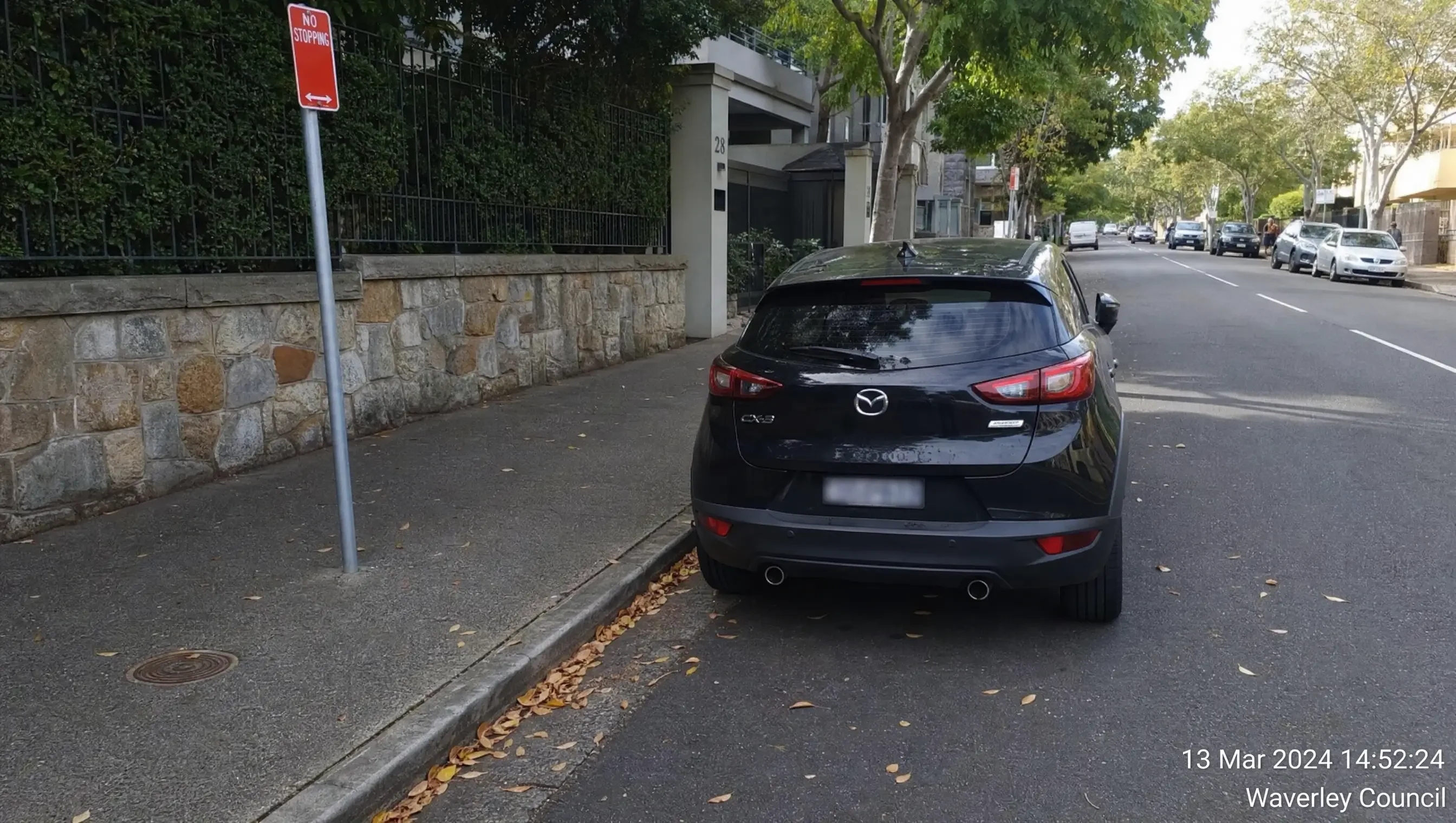
Vehicle stopped in a signed no-stopping area
Aero Ranger keeps the issue photos, place context, rule context and follow-up state together so the case can be checked later without rebuilding the record.
The issue photo stays on NS-67214 with the case note and current case status.
Site, street, reserve, bay, kerbside or zone context stays attached so reviewers can see where the issue occurred.
The relevant signage, permit condition, local-law category or operating rule is recorded beside the issue evidence.
Later photos, reinspection notes, notice evidence and closure decisions remain in the same case trail.
In CORE, no-stopping zone management works best as a scheduled kerbside case type that connects the sign rule, active window, vehicle observation, evidence, exception review, outcome decision and reporting.
Street, side of road, sign reference, no-stopping frontage, school or event period, active hours and related controls.
Plate where available, make, orientation, colour, photos, sign view, location, timestamp and officer notes.
Active, inactive, temporary override, unclear signage, authorised exception, moved on or tow referral.
Warn, issue, hold for review, prepare tow referral, schedule appeal review or close with reason.
Who reviewed the evidence, which rule was applied, what document was generated and what outcome followed.
Start with one high-pressure corridor, configure the active restriction and then extend the same model into schools, events, hospitals and transport nodes.
Define the no-stopping frontage, side of road, active time, sign reference, event override and related kerb rule.
Attach vehicle photos, plate read where available, GPS context, sign view, time and officer notes.
Review emergency, authorised work, service, traffic control or other configured exceptions before action.
Record education, warning, notice, tow referral, appeal hold or closure with a clear status reason.
Compare repeat streets, active windows, event days and school peaks for managers and traffic teams.
Once active kerb rules, evidence and case review are configured, related short-window restrictions can reuse the same operating model.
Use no-stopping rules during short pick-up and drop-off windows.
Apply the same active-schedule model to loading, clearway and kerbside windows.
Use temporary no-stopping controls around venues, resident streets and access corridors.
Keep corridor rules, exemptions and evidence review visible for transport priority areas.
Share the short brochure with stakeholders, then use the procurement guide to frame requirements, governance, rollout and evaluation.
Bring a real corridor, school frontage or event street and we will map active rules, evidence, offence mapping, cases and reporting.
Technology procurement guide
Use your organisation or government email address. Your guide will be ready to open as soon as the form is submitted.

